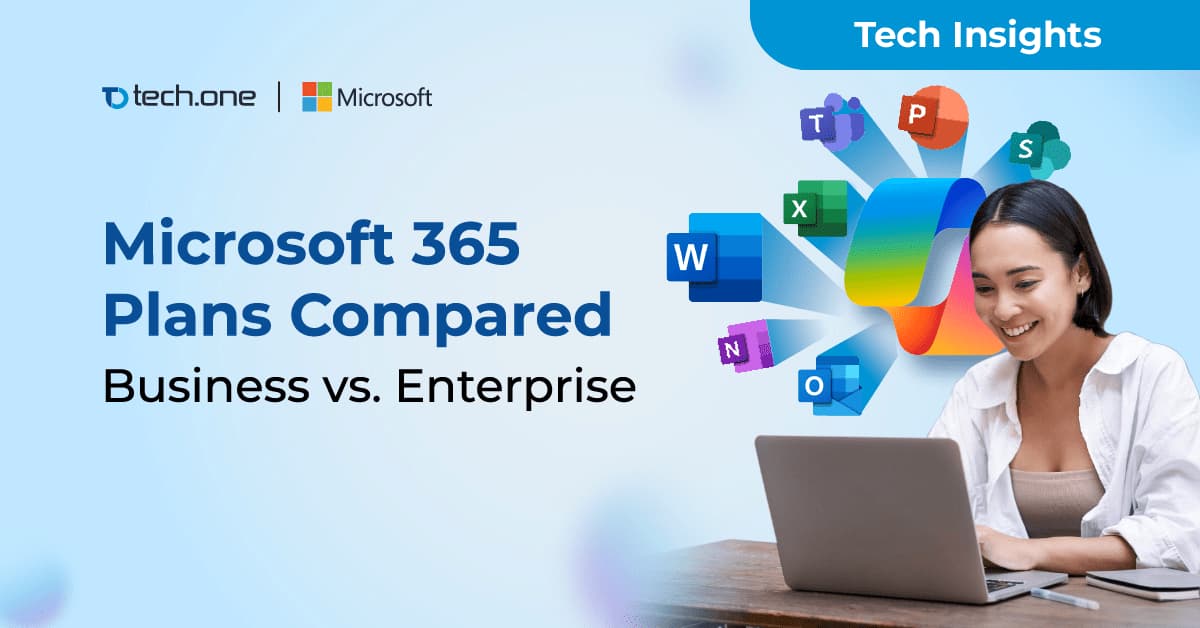
Microsoft 365 Plans Compared:
Business vs. Enterprise
Across the Philippines, Microsoft 365 has become the productivity platform of choice for businesses of every size. From SMEs in regional hubs like Cebu and Davao to global enterprises headquartered in Makati, organizations rely on Microsoft 365 to keep their teams connected, secure, and productive. The country’s digital momentum has only accelerated in 2025, with cloud-based solutions now seen as essential for competitiveness in industries ranging from banking and BPO to healthcare and retail.
But for many decision-makers, the question is no longer whether to adopt Microsoft 365 — it is which plan to adopt. Choosing between Microsoft 365 Business plans and Microsoft 365 Enterprise plans has become one of the most common crossroads for IT leaders, CFOs, and business owners. Both provide access to the same familiar productivity apps, yet the differences in scale, compliance, and security can significantly influence cost efficiency, governance, and long-term business resilience.
This article will compare Microsoft 365 plans in detail, highlighting the features, benefits, and considerations that matter most for Philippine organizations, and understanding the distinctions between Business and Enterprise plans.
What Are Microsoft 365 Business Plans?
Microsoft 365 Business plans are designed for small and medium-sized organizations with up to 300 users. This segment is especially relevant in the Philippines, where SMEs account for more than 99% of registered businesses.
The Business lineup includes three tiers:
- Business Basic – Web and mobile versions of Office apps, Teams, Exchange for email, and OneDrive for cloud storage.
- Business Standard – Adds desktop apps and business-class email hosting.
- Business Premium – Includes all features of Standard with added device management (Intune) and advanced security.
Business Premium is particularly valuable for SMEs that need stronger protection against cyber threats without the complexity of enterprise-scale IT. Microsoft positions this plan as the most complete option for growing companies that want both productivity and built-in security.
Microsoft 365 Business Plans
What Are the Enterprise Plans?
Microsoft 365 Enterprise plans are designed for larger organizations that need advanced tools for compliance, security, and collaboration at scale. Unlike Business plans, Enterprise plans have no user limit, making them suitable for enterprises with hundreds or thousands of employees.
The Enterprise lineup includes three main options:
- Enterprise E1 – Provides essential apps and services like Exchange, Teams, OneDrive, and SharePoint. This plan is ideal for organizations that need reliable communication and collaboration but do not require desktop versions of Office apps.
- Enterprise E3 – Includes everything in E1 plus desktop Office apps, advanced compliance features, and enhanced security controls. E3 is one of the most widely adopted plans among mid-sized to large organizations in the Philippines because it balances functionality and cost.
- Enterprise E5 – The most advanced plan, adding Microsoft Defender for endpoint and threat protection, audio conferencing, and analytics with Power BI Pro. E5 is particularly suited for regulated industries such as banking, healthcare, and government, where compliance and data security are top priorities.
Enterprise plans are structured to help organizations meet stricter internal policies and regulatory requirements, while also equipping them with enterprise-grade collaboration and business intelligence tools. For companies operating in sectors like BPO, finance, and healthcare in the Philippines, the Enterprise suite ensures both productivity and compliance at scale.
Microsoft 365 Enterprise Plans
Which Plan Should Your Company Choose?
- Small and Medium Enterprises (SMEs):
With the 300-user limit, Microsoft 365 Business Standard or Business Premium is ideal for SMEs that want productivity tools with manageable costs. The Business-only table makes this decision clearer — showing exactly what SMEs get with Basic, Standard, and Premium. For example, Business Premium’s inclusion of Intune and Microsoft Defender for Business gives SMEs enterprise-level protection without requiring a large IT department. - Expanding Organizations:
As businesses scale beyond 300 users, Microsoft 365 Enterprise E3 becomes the logical choice. The Enterprise-only table highlights how E3 introduces advanced compliance tools, full desktop apps, and stronger security features that growing companies need. Philippine BPOs or mid-sized exporters scaling operations across multiple regions often find E3 the right balance between cost and enterprise capability. - Regulated Industries:
Sectors such as finance, healthcare, and government are better served by Microsoft 365 Enterprise E5, which delivers advanced threat protection, analytics (Power BI Pro), and enterprise-grade compliance like legal hold and eDiscovery. The Enterprise table makes it easy to see why E5 stands apart — it combines the full collaboration suite with Microsoft Defender and top-tier compliance features, aligning with regulatory requirements set by institutions like the BSP and DOH.
Cost and Value Considerations for Philippine Businesses
Business Basic and Business Standard are more affordable options, but the value of Business Premium is greater because it is cost-efficient in the long run. Beyond productivity apps, it includes advanced security and device management that reduce IT overhead, protect sensitive data, and streamline daily operations — benefits that far outweigh the small increase in cost. For SMEs in the Philippines, this often means having enterprise-level protection without the need to expand IT teams or invest in multiple third-party tools.
While Enterprise plans are priced higher, the investment reflects their advanced features in compliance, analytics, and security. Enterprise plans are designed for bigger operations with larger headcounts, stricter security requirements, and industry-specific regulations. They are especially relevant for Philippine organizations in banking, healthcare, BPO, and government, where compliance and resiliency are not optional but mandatory.
The value comes not only from software licensing but also from long-term productivity and risk reduction. For SMEs, Business Premium simplifies IT operations, while for large enterprises, E3 and E5 strengthen security and compliance, helping meet both internal policies and external regulations.
Where Tech One Philippines Can Help
As Philippine businesses continue to embrace digital transformation, the right Microsoft 365 plan can determine how effectively you adapt to new challenges, support a growing workforce, and protect sensitive data. The question is not which features are available, but which plan aligns with your growth ambitions and regulatory environment.
To add to that, you also need the right partner. Selecting a plan is one step, while deploying it securely, managing compliance, and ensuring your people can get the most out of the tools is another.
At Tech One Global Philippines, we specialize in helping organizations make this decision with confidence. As a multi-awarded Microsoft Partner with the Microsoft Solutions Partner designation in Modern Work and 4 Advanced Specializations, we bring both global recognition and local expertise. Our team provides tailored guidance in cloud migration, security, and licensing to ensure that every Microsoft 365 investment delivers measurable value for your organization.
With certified professionals, proven experience, and a track record of supporting Philippine enterprises across industries, Tech One Philippines is positioned to be more than a vendor. We are your long-term partner in building a secure, productive workplace.
Start building secure, productive future. Contact Tech One Philippines to make the move to the Microsoft 365 plan that supports your workforce and safeguards your data.