Smarter Workdays Ahead: Discover Microsoft 365 Productivity Hacks for Filipino Professionals
For many Filipino professionals, a typical workday starts with opening Outlook, followed by back-to-back Teams meetings, and ends with a quick Excel report before logging off. The tools are familiar, but the results often feel the same: overflowing emails, nonstop messages, and little time left for meaningful work.
The good news is that you might already have everything you need to work more efficiently. The key is learning how to make the most of the tools you use every day.
The Changing Landscape of Work in the Philippines
The way Filipinos work has evolved significantly. Many professionals now manage hybrid schedules, collaborate remotely, and rely on digital tools to stay connected. Microsoft 365 has become central to this shift, providing a platform where people can communicate, share files, and manage projects wherever they are.
However, using these tools effectively requires more than familiarity. It involves understanding how to apply them to reduce time spent on routine tasks, streamline teamwork, and keep projects organized. When used strategically, Microsoft 365 supports the growing demand for flexibility, focus, and efficiency in the modern Filipino workplace
Microsoft 365 Productivity Hacks You Can Use Today
Many Filipino professionals use Microsoft 365 every day for emails, meetings, and reports, but only a few maximize its full potential. Beyond its familiar tools are simple, time-saving hacks that can make your workday more organized and less stressful. Here are some practical tips you can start using right away:
| Tool | Hack | How It Helps |
|---|---|---|
Outlook |
Use Quick Steps to save time on emails. Create one-click actions like “Reply & Archive” or “Move to Project Folder” to clear your inbox faster. |
Cuts inbox management time by up to 30%. |
Teams |
Turn meeting notes into action items. Use Loop components or Planner integration to assign follow-ups directly in Teams chats. |
Keeps everyone aligned and reduces missed tasks. |
Excel |
Use Flash Fill for faster data cleanup. Type one example entry, then let Excel automatically complete the rest. |
Speeds up manual data entry and reduces errors. |
Power BI |
Build simple dashboards with slicers. Turn data into visuals that update automatically when new information is added. |
Makes reporting interactive and easy to interpret. |
Power Automate |
Auto-save attachments from Outlook to OneDrive. Create a flow that stores all incoming files in one organized folder. |
Eliminates manual downloads and file searches. |
OneNote + To Do |
Link notes with task lists. Convert notes into action items that sync with your daily To Do list. |
Keeps ideas and tasks connected in one place. |
These small but effective hacks can help you simplify repetitive tasks, stay focused, and make the most of the Microsoft 365 tools you already use.
Why These Habits Matter for Professionals and Organizations
Filipino professionals are known for their creativity, collaboration, and adaptability. With the right tools and mindset, these strengths can translate into higher efficiency and better results across any workplace.
- For employees: Learning how to use Microsoft 365 more effectively helps reduce digital fatigue, manage time better, and create more balance in daily work.
- For business leaders and decision-makers: Empowering teams with the right digital habits leads to clearer communication, consistent performance, and higher-quality outcomes.
When organizations use technology thoughtfully, productivity becomes more than an individual goal. It turns into a shared responsibility and a measurable advantage for the entire team.
Explore More Strategies to Work Smarter
Working smarter starts with making the most of the tools you already use. Microsoft 365 can do more than help you send emails or join meetings. When used strategically, it can simplify processes, save time, and help you focus on work that truly matters.
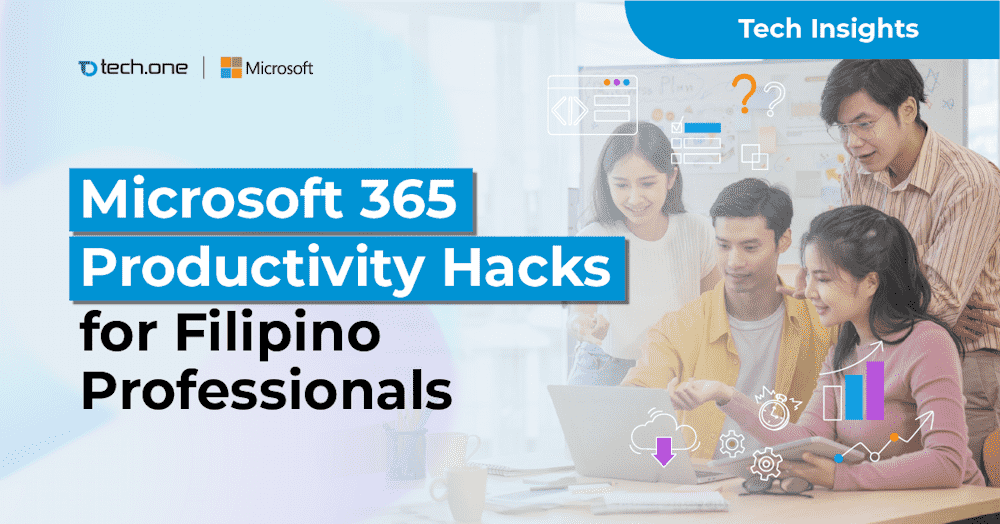
To help you uncover practical ways to do that, Tech One Global Philippines created a whitepaper titled “Microsoft 365 Productivity Hacks for Filipino Professionals.” It features simple, proven hacks that you can apply right away.