

Microsoft 365 Copilot delivers secure AI productivity — empowering teams to move faster while keeping business data protected and governed. With expert guidance from Tech One, leaders can adopt AI responsibly and turn productivity gains into a competitive advantage.
Share a few details and we’ll recommend the best Copilot pathway for your business.
Your teams are under pressure to do more, move faster, and make better decisions — all while protecting sensitive business and customer data.
Microsoft Copilot is Microsoft’s enterprise AI solution, built directly into the Microsoft ecosystem your organization already relies on — Microsoft 365, Teams, Outlook, Word, Excel, PowerPoint, and beyond. It helps businesses modernize how work gets done securely, responsibly, and at scale.
At Tech One, we help Philippine businesses — especially BFSI and regulated industries — adopt Copilot with the right foundations in place, so AI becomes a business enabler, not a risk.
Most organizations aren’t short on talent — they’re short on time, focus, and clarity.
Across finance, operations, IT, HR, and customer-facing teams, leaders consistently face the same challenges:


Across finance, operations, IT, HR, and customer-facing teams, leaders consistently face the same challenges:


What organizations need isn’t “more AI tools.” They need secure, governed AI that works inside their existing systems.


Microsoft Copilot is not a standalone chatbot — and it’s not the same as consumer AI tools.
Copilot is deeply integrated into Microsoft’s enterprise cloud, working within the security, identity, and compliance framework of Microsoft 365.
Copilot helps people focus on higher-value thinking — while AI handles the busy work.
Copilot’s impact goes beyond productivity. It enables better, safer, and more consistent ways of working.
Employees complete tasks faster while maintaining quality and consistency.
Leaders get summaries, trends, and insights instantly — reducing delays caused by manual analysis.
AI operates within your existing security boundaries — no data leakage, no shadow AI.
Admins retain visibility and control over access, usage, and policies.
eams work inside familiar tools — minimizing disruption and adoption friction.
Many teams experiment with tools like ChatGPT and Gemini — but these tools were not designed for enterprise environments.
For organizations handling financial data, customer records, contracts, or regulated information, this distinction is critical.
Copilot allows businesses to unlock AI safely — without exposing sensitive information.
Microsoft Copilot is available across different workloads and license types, depending on how your business operates.



This is where many organizations struggle — and where expert guidance matters.
Copilot works on top of Microsoft 365. Your base plan directly impacts security and control.

We help you choose the right foundation based on risk profile, compliance needs, and growth plans — not just cost.
Copilot delivers the most value when it is aligned to how each role actually works. Below are common, high-impact use cases we see across organizations adopting Microsoft Copilot.
Copilot adapts to each role — delivering value without breaking security, compliance, or governance rules.
Copilot adoption is not just a licensing decision.
For regulated industries, these risks are amplified.
Our approach focuses on:
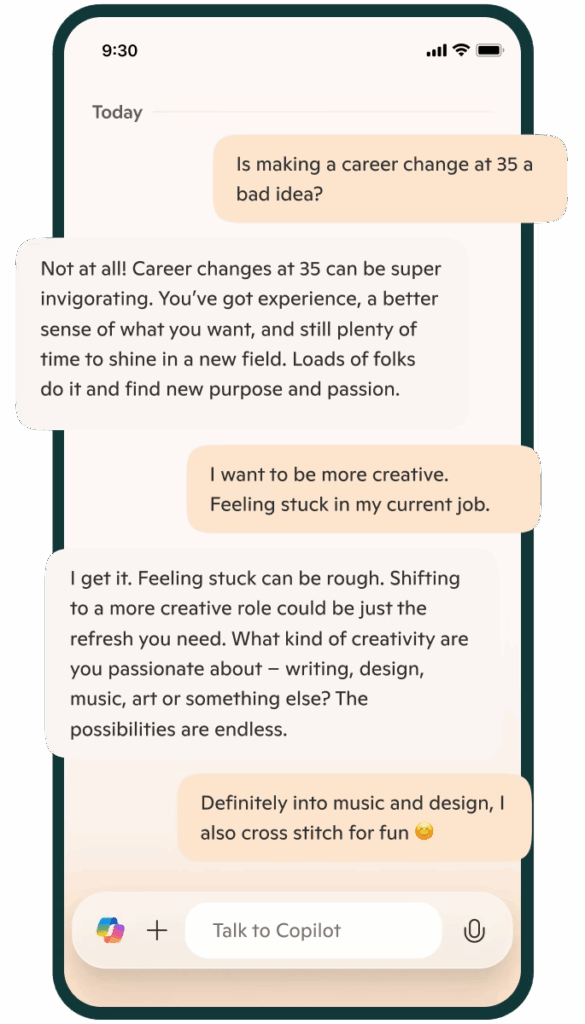
Stay connected wherever work takes you. The Microsoft Copilot mobile apps for Android and iOS bring smart, AI-powered support to your fingertips. Whether you’re replying to emails, creating content, or managing tasks, Microsoft Copilot helps you stay productive on the move. Designed for busy professionals in the Philippines, it’s the smarter way to work from anywhere.

Partnering with Tech One Philippines is not just about adopting Microsoft Copilot. It’s about enabling meaningful transformation that drives productivity, growth, and long-term value.
As a trusted Microsoft Solutions Partner in the Philippines, we combine deep expertise in AI, cloud, and digital modernization to help you plan, implement, and get the most out of Microsoft Copilot—tailored to your organization’s goals.




We’ve designed two clear, outcome-driven pathways — depending on your readiness and urgency.
This structured assessment helps you:
This is ideal for organizations that want to de-risk AI adoption before scaling.
They bundle:
These packs help organizations:
Microsoft Copilot is an AI-powered assistant designed to help you with a wide range of tasks. It leverages advanced AI technologies, including natural language processing and machine learning, to provide support in various areas such as productivity, information retrieval, and creative tasks. It helps you write, analyze, and automate tasks in apps like Word, Excel, Outlook, PowerPoint, and other solutions across the Microsoft ecosystem. Tech One Global is a top Microsoft partner that can help businesses like yours integrate Copilot in your day-to-day operations.
Microsoft Copilot works by leveraging advanced AI technologies to understand and respond to your queries. It uses Natural Language Processing (NLP), Machine Learning, Web Search Capabilities, and it's integration within the Microsoft ecosystem to generate relevant content based on your work data. For best practice for integration and how to get the most value our of Copilot, contact Tech One Global today!
Copilot is available in Microsoft 365 apps like Word, Excel, PowerPoint, Outlook, Teams, and OneNote. Microsoft Copilot AI is also available in other Microsoft solutions like Azure, Fabric, PowerBI, PowerApps, and Copilot Studio, to mention a few. Tech One Global helps businesses roll it out across teams, ensuring smooth integration and proper data access.
Yes. With Microsoft Copilot, your data remains your data. It follows Microsoft’s enterprise security and compliance standards for data privacy, encryption, compliance, and access controls. Microsoft Copilot also receives regular updates to its security protocols to address emerging threats and vulnerabilities. Tech One Global can guide your IT team in setting up proper access controls and data protection when enabling Copilot
Yes, Microsoft Copilot typically requires a special license to access its full range of features. This license is often part of specific Microsoft 365 plans or subscriptions. Depending on the plan, you may get access to Copilot's capabilities within various Microsoft applications like Word, Excel, PowerPoint, and more. Tech One Global can help you assess your current setup and guide license upgrades based on your team's needs.
It can analyze data, generate formulas, create charts, clean data, and create summaries from raw data. What's more, Copilot in Excel can help provide insights and recommendations based on your data, such as forecasting trends or highlighting key metrics. Tech One Global provides training so teams can make the most out of Copilot in Excel for reporting and analysis.
Copilot in Word can help enhance your writing and document creation. It can be your writing assistant by generating content, changing writing format, doing research, adding citations, and even translating language. Lastly, it can facilitate collaboration by tracking changes, suggesting edits, and integrating comments from multiple users. If you need help in maximizing Microsoft Copilot in Word, Tech One Global can help.
Microsoft Copilot in PowerPoint can help you create engaging and professional presentations with ease. It can help with design suggestions, content generation, slide organization, formatting, data visualization, and speaker notes. It can also create presentations based on other documents like Word, Excel, or OneNote. Lastly, it boosts collaboration as it integrates comments, suggestions, and edits from multiple users. Tech One Global can help you maximize PowerPoint in Copilot.
It can streamline your email and calendar management, making your workflow more efficient. Microsoft Copilot helps in email drafting, scheduling meetings, task management, inbox organization, automating responses, and integrating calendars. These features make Copilot a valuable tool for managing your communications and schedule. To maximize Copilot in Outlook, you can contact a top Microsoft partner like Tech One Global.
Yes. It saves time by automating writing, summarizing, and planning tasks. Tech One Global helps teams adapt faster by offering onboarding sessions and tailored use cases for different departments.
Microsoft Copilot is available to users with specific Microsoft 365 plans that include access to its features. Not all Microsoft 365 subscriptions automatically include Copilot, so it's important to check the details of your plan.
Typically, Copilot is included in higher-tier plans such as:
If you're unsure whether your current plan includes Copilot, you can review your subscription details or contact Tech One Global for support or more information.
Use clear, specific prompts when interacting with Copilot to get accurate results. Integrate it into routine tasks like drafting emails, summarizing documents, or analyzing data. Regular use helps Copilot adapt to your workflow, enhancing productivity over time.
Microsoft 365 Copilot for Business is Microsoft’s AI assistant designed to help organizations work faster and smarter using their existing Microsoft 365 data—such as emails, documents, meetings, chats, and files—while maintaining enterprise-grade security and compliance.
For businesses in the Philippines, Copilot for Business enables teams to:
Tech One Global Philippines helps businesses deploy Microsoft 365 Copilot the right way—ensuring it is securely configured, aligned with your business goals, and adopted effectively across your organization, not just turned on.
Microsoft 365 Copilot for Business is designed for:
It is ideal for organizations already using Microsoft 365 who want to introduce AI responsibly and productively.
As a Microsoft Partner of the Year in the Philippines, Tech One assesses which roles and teams will benefit most from Copilot and helps companies roll it out in phases—starting with high-impact users to maximize ROI.
The key difference lies in usage context and governance:
For Philippine businesses, this distinction is critical—especially in regulated industries like finance, insurance, healthcare, and professional services.
Tech One Global Philippines ensures your Copilot deployment follows best practices for data security, compliance, and responsible AI use within your Microsoft 365 tenant.
Microsoft 365 Copilot for Business is available as an add-on to eligible Microsoft 365 business plans, such as:
Many Philippine organizations choose to bundle Copilot with security and productivity foundations for faster, safer adoption.
Tech One offers AI Starter Packs that combine Copilot licenses, Microsoft 365 plans, security configurations, and guided enablement—making it easier for businesses to get started without licensing confusion or costly mistakes.
Yes. Microsoft 365 Copilot runs inside your existing Microsoft 365 environment and uses your organization’s data—while respecting your current permissions, access controls, and security policies.
This means:
Tech One Global Philippines reviews your current Microsoft 365 setup to ensure Copilot integrates securely and performs as expected before full rollout.
The safest way to start with Microsoft 365 Copilot is not by buying licenses first, but by validating readiness.
Tech One Global Philippines recommends:
This approach avoids common pitfalls such as data exposure, low adoption, and unclear ROI.
Microsoft 365 Copilot follows Microsoft’s enterprise-grade security, privacy, and compliance standards, including:
However, Copilot is only as secure as your Microsoft 365 configuration.
That’s why Tech One focuses heavily on:
This is especially important for Philippine organizations handling sensitive or regulated data.
A Copilot Readiness Assessment evaluates whether your organization is prepared to use Microsoft 365 Copilot securely and effectively.
With Tech One, this assessment typically covers:
The outcome is a clear, actionable roadmap—not guesswork—so Philippine businesses can adopt Copilot with confidence.
Microsoft 365 Copilot for Business is best purchased through a Microsoft Solutions Partner who can guide you beyond licensing.
Tech One Global Philippines helps you:
Instead of just “buying Copilot,” Tech One ensures you activate value from Copilot.
Whether you’re:
We’ll help you take the right next step — with clarity and confidence.

Share a few details and we’ll recommend the best Copilot pathway for your business.